
Cloud Outage Risk Calculator
Assess Your Cloud Risk
Calculate potential revenue loss from cloud provider outages and determine if multicloud implementation makes financial sense for your critical systems.
Results
Potential Annual Revenue Loss:
Estimated Multicloud Implementation Cost:
Cost-Benefit Analysis:
Recommendation:
When your entire business runs on one cloud provider, you're not just relying on technology-you're betting your uptime, revenue, and reputation on a single point of failure. That’s not a strategy. It’s a gamble. And in 2025, when an AWS outage took down not just AWS customers but also SaaS platforms, payment processors, and logistics systems that depended on it, companies realized: vendor concentration isn’t just a technical issue. It’s a business threat.
Why Vendor Concentration Is a Silent Killer
Most companies don’t wake up one day and say, “Let’s put everything on AWS.” It happens slowly. First, it’s just storage. Then, the CRM. Then, the billing system. Then, the customer portal. Before you know it, 90% of your critical systems are running on one cloud. And that’s when the risk becomes invisible-until it’s too late. In October 2025, a single regional outage at AWS caused $23 million in lost revenue for one e-commerce company because their payment gateway, inventory database, and customer support tools were all hosted there. But here’s the twist: companies that didn’t even use AWS still got hit. Why? Because their SaaS vendors-like Shopify, Zoom, or Stripe-ran on AWS. The supply chain of cloud dependencies had become so tangled that no one was safe. Today, AWS, Microsoft Azure, and Google Cloud control 66% of the global infrastructure market. That means if any one of them has a major issue, you’re not just at risk-you’re part of a systemic failure. Financial institutions got it first. The European Central Bank started requiring banks to prove they could survive a single-cloud outage in 2023. By 2025, 68% of global systemically important banks had formal multi-cloud strategies. Now, it’s spreading.What Multicloud Really Means (And What It Doesn’t)
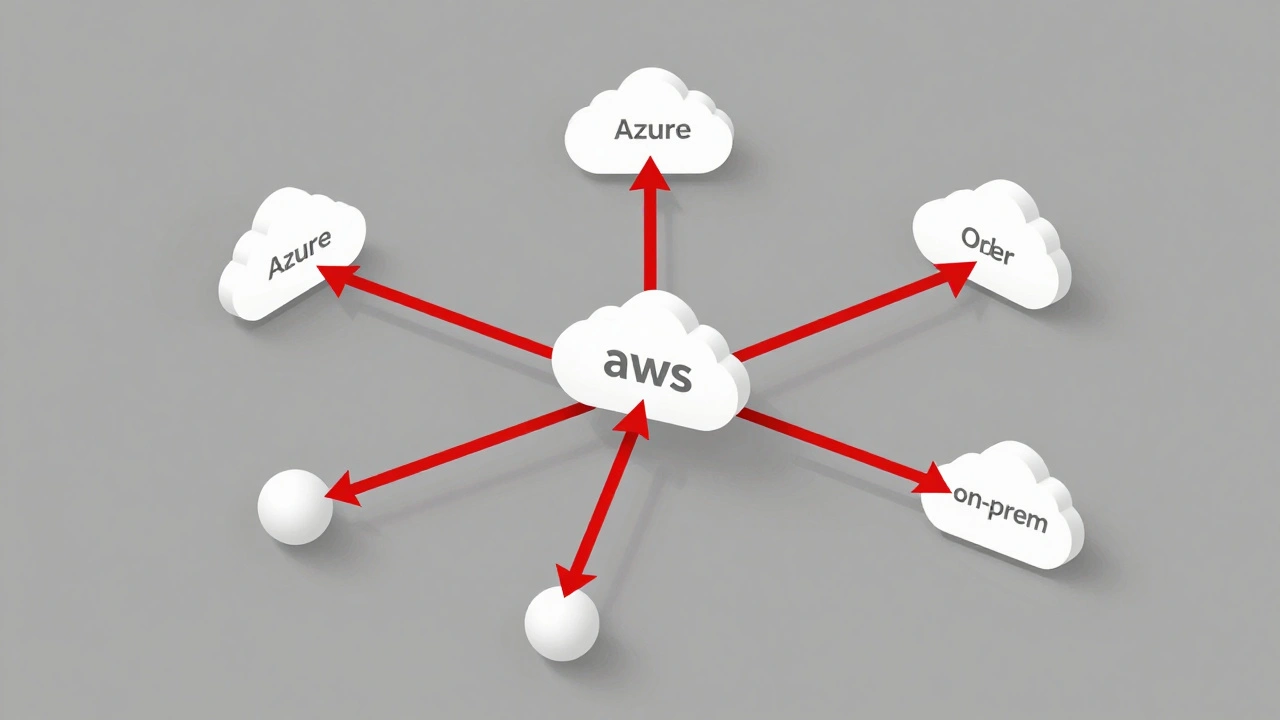
Multicloud isn’t just using two clouds. It’s about building resilience through intentional distribution. You’re not trying to run everything everywhere. You’re asking: Which systems absolutely cannot go down? And then you make sure they’re not all on the same platform. Successful multicloud setups follow three patterns:- Workload-specific distribution: CRM on Salesforce/AWS, ERP on Azure, analytics on Google Cloud. Each system picks the best tool for the job.
- Geographic redundancy: Data stored in the EU on Azure to meet GDPR, while customer-facing apps run on AWS in the U.S. to reduce latency.
- Active failover: Identical copies of core systems running on two clouds at the same time. If one fails, traffic shifts automatically.
The Hidden Costs of Multicloud
People talk about multicloud like it’s a free upgrade to reliability. It’s not. It’s a trade-off. You gain uptime. You lose simplicity. Organizations using multiple clouds spend 15-25% more on operational overhead. They need 30-40% more DevOps staff. Why? Because each cloud has its own tools, its own security settings, its own billing system. AWS has over 1,500 unique API calls. Azure has 2,000+. Google Cloud has 800. Managing all three means your team has to know three different languages. Data transfer between clouds costs $0.09 per GB. That adds up fast. A company moving 50TB of data per month between AWS and Azure spends $4,500 just on bandwidth. And that’s before you factor in the cost of duplicated storage or redundant monitoring tools. One CTO at a fintech startup told Gartner Peer Insights: “We added a third cloud to be safe. Our operational costs jumped 28%. Our reliability for non-critical apps? Barely improved.” The key isn’t to go multicloud for everything. It’s to go multicloud for what matters.Where Multicloud Works Best (And Where It Doesn’t)
Not every workload needs redundancy. You don’t need to run your internal wiki on three clouds. But you do need to run your payment processing, customer authentication, and order fulfillment systems across at least two. Here’s a simple rule: Ask yourself, If this system goes down for 8 hours, how much money do we lose? If the answer is more than $50,000, it’s a candidate for multicloud. Financial services, healthcare, and logistics companies lead in multicloud adoption because their regulatory requirements and customer expectations force them to. Retailers? Not so much. Only 32% of retail businesses use multiple clouds, compared to 89% of banks. Why? Because a retail store’s inventory system going down for a day might cost $100,000. But a bank’s payment system going down for 30 minutes could cost $2 million-and trigger regulatory fines. The same logic applies to AI workloads. Only 22% of companies can run their AI models consistently across multiple clouds. If you’re using Google’s AI Platform for image recognition and Azure’s Cognitive Services for voice, you’re locked into vendor-specific tools. That’s not multicloud. That’s multi-vendor chaos.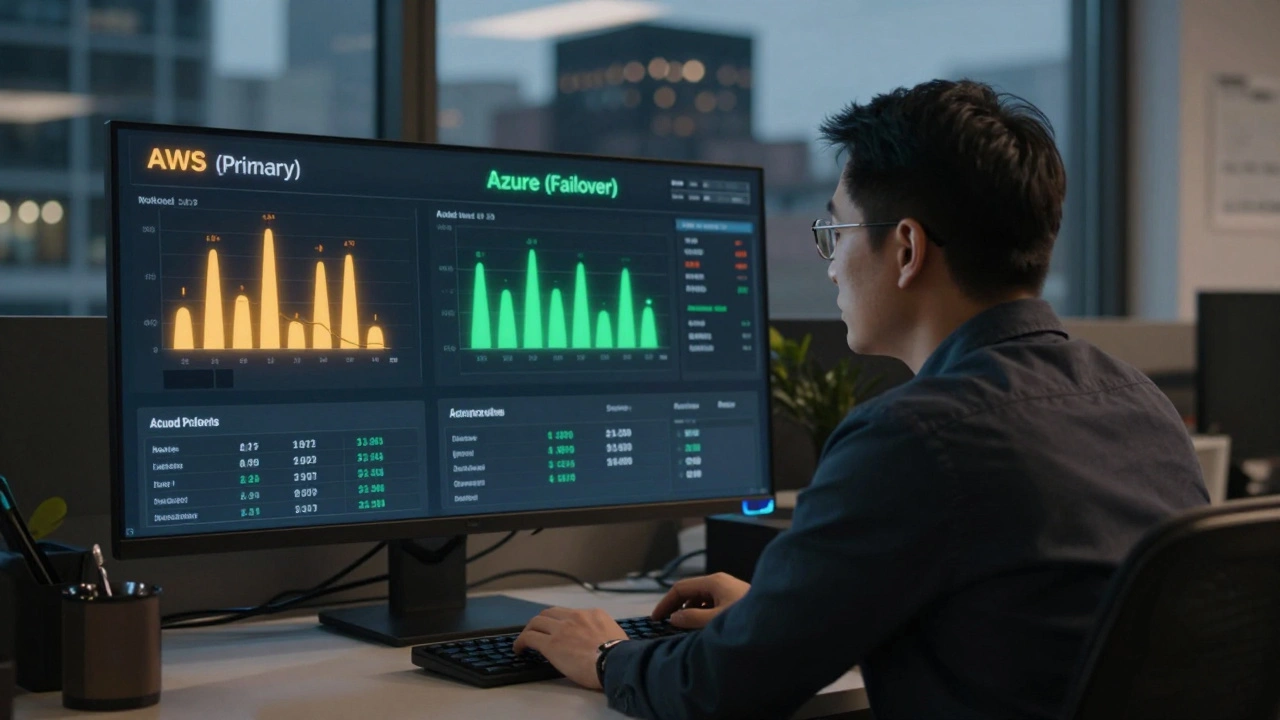
How to Start Without Overwhelming Your Team
You don’t need to rebuild everything tomorrow. Start small. Pick one critical system. Map its dependencies. Identify the single point of failure. Then build a parallel version on a second cloud. Here’s how to do it step by step:- Inventory your critical apps: List every system that supports revenue, compliance, or customer trust. Flag which ones are on one cloud only.
- Measure the risk: For each flagged system, estimate the cost of 8 hours of downtime. Use real numbers, not guesses.
- Choose your second cloud wisely: Don’t pick based on price. Pick based on features. Need AI? Google Cloud. Need enterprise compliance? Azure. Need serverless scale? AWS.
- Use containers and infrastructure-as-code: Kubernetes and Terraform are non-negotiable. They let you deploy the same app on AWS, Azure, or Google Cloud with one command. Without them, you’re building separate systems.
- Test failover: Don’t wait for an outage. Simulate one. Shut down your primary cloud for 10 minutes. See if traffic shifts. See if data syncs. See if your team panics.
The Future Is Cloud-Agnostic
By 2027, 75% of large enterprises will use multicloud strategies. The Financial Stability Board just mandated that global banks prove they can survive a single-cloud failure by Q4 2026. AWS and Microsoft are responding-not by locking you in, but by helping you escape. AWS’s new Cloud Continuity initiative lets you automatically fail over to Azure or Google Cloud. Microsoft’s Azure Arc now lets you manage workloads across clouds from one dashboard. The goal isn’t to avoid AWS. It’s to architect for failure. Netflix didn’t survive because they avoided AWS. They survived because they designed every system to expect failure-and built redundancy into their DNA. The question isn’t whether you should go multicloud. It’s: Which part of your business can’t afford to go dark? Start there. Build smart. Don’t spread yourself thin. Protect what matters.Vendor concentration isn’t going away. But with the right strategy, you don’t have to be its next victim.
What’s the difference between vendor lock-in and vendor concentration risk?
Vendor lock-in is about being stuck because switching costs are high-like proprietary APIs or data formats that don’t work elsewhere. Vendor concentration risk is about being vulnerable because too many of your systems rely on one provider. You can be locked in without being concentrated, and vice versa. But when both happen together, you’re at maximum risk.
Do I need to use all three major cloud providers?
No. Most organizations only need two. The goal isn’t to use every provider-it’s to avoid being dependent on one. Pick the two that best match your workloads. For example, use AWS for serverless apps and Azure for enterprise compliance. Google Cloud might only be needed if you’re heavy on AI. Adding a third provider often increases complexity without meaningful benefit.
Can small businesses afford multicloud?
Yes-but selectively. Small businesses shouldn’t try to run everything on multiple clouds. Instead, identify your one critical system-the one that generates revenue or handles customer data-and make sure it’s backed up on a second provider. Use tools like Kubernetes and Terraform to reduce management overhead. Many cloud providers offer free tiers and migration credits to help you get started.
Is multicloud more secure than single-cloud?
Not inherently. Security depends on how you manage it. If you use different tools and policies across clouds, you create gaps. The best multicloud setups use centralized identity management (like Azure AD or AWS IAM), automated policy enforcement (via tools like HashiCorp Sentinel), and continuous monitoring across platforms. Without these, multicloud can actually increase your attack surface.
What happens if two clouds go down at once?
That’s rare, but possible during global events like major internet outages or geopolitical disruptions. That’s why the most resilient companies also use on-premises or edge infrastructure for critical functions. Some banks run core transaction systems locally with cloud backup. Others use hybrid models where data is stored in multiple regions, including private data centers. Multicloud reduces risk, but it doesn’t eliminate all risk.
How long does it take to implement a multicloud strategy?
It depends. For a single critical system, you can build a failover in 3-6 months. For a full enterprise-wide rollout, especially in regulated industries, expect 12-18 months. The biggest delays come from training teams, rewriting legacy apps, and aligning security policies. Start with one system, prove the model, then scale.